
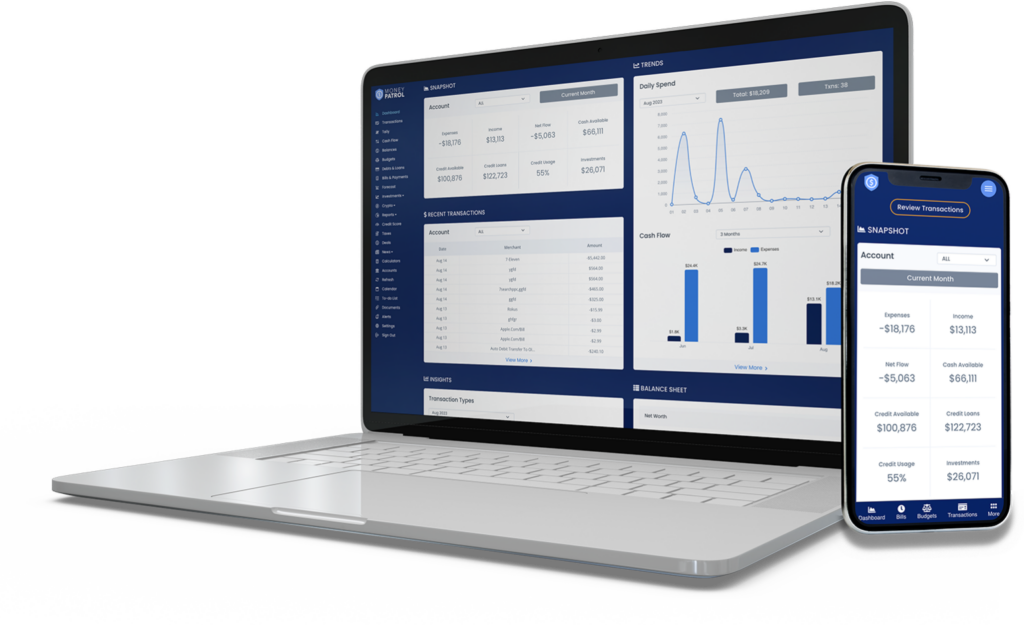
Struggling to keep track of your spending? You’re not alone. Millions of people want to save money, stick to a budget, and build better financial habits—but most budgeting apps come with hidden fees or premium paywalls. The good news? In 2026, there are still powerful, fully free budgeting apps that actually work. These tools help you manage expenses, reduce overspending, and grow your savings—without costing you a dime.
This guide cuts through the noise to spotlight the best budgeting apps that are truly free, with no subscriptions, no surprise charges, and no bait-and-switch tactics. Whether you’re a student, a freelancer, or just trying to get your finances in order, these apps offer real value for anyone serious about money management.
Why Free Budgeting Apps Matter in 2026
Inflation, rising living costs, and economic uncertainty have made personal finance more important than ever. Yet, many people avoid budgeting because they assume it’s complicated or expensive. The truth? Effective money management starts with simple, accessible tools—especially free ones.
Free budgeting apps remove the barrier to entry. They let you track income, monitor spending, and set financial goals without financial commitment. In 2026, the best of these apps go beyond basic expense tracking. They offer smart categorization, real-time alerts, goal-setting features, and even financial insights—all at no cost.
More importantly, they help build lasting financial habits. When you can see where your money goes each month, you’re more likely to make smarter choices. Whether it’s cutting back on dining out or saving for a vacation, these apps turn abstract goals into actionable plans.
What Makes a Budgeting App “Actually Free”?
Not all “free” apps are created equal. Some offer limited features unless you upgrade. Others show ads or sell your data. A truly free budgeting app in 2026 should meet these criteria:
- No subscription fees: No monthly or annual charges for core features.
- No paywalled essentials: Budgeting, expense tracking, and goal setting should be fully accessible.
- Transparent data use: Your financial data isn’t sold to third parties.
- Ad-supported or nonprofit model: Revenue comes from non-intrusive ads or grants, not user payments.
- Regular updates: The app is actively maintained and secure.
We’ve tested dozens of apps and narrowed down the list to those that deliver real value without hidden costs. These aren’t trial versions or freemium traps—they’re genuinely free tools designed to help you succeed.
Top 5 Best Budgeting Apps That Are Actually Free in 2026
1. Mint (by Intuit)
Mint remains one of the most trusted names in personal finance—and it’s still completely free. Owned by Intuit, the company behind TurboTax and QuickBooks, Mint offers a comprehensive suite of budgeting tools without charging users.
The app automatically syncs with your bank accounts, credit cards, and loans to give you a real-time view of your finances. It categorizes transactions, tracks spending trends, and sends alerts when you’re nearing your budget limit. You can set monthly budgets for categories like groceries, entertainment, and transportation, and Mint will notify you if you overspend.
One standout feature is its goal-setting tool. Whether you’re saving for a house, paying off debt, or building an emergency fund, Mint helps you track progress with visual charts and reminders. It also provides free credit score monitoring, giving you insight into your financial health.
Mint is ad-supported, but the ads are relevant and non-intrusive. Since it’s backed by a major financial company, security is a top priority. Your data is encrypted, and you can enable two-factor authentication for added protection.
2. PocketGuard
PocketGuard is perfect for people who want a simple, no-fuss way to manage their money. Unlike apps that overwhelm you with data, PocketGuard focuses on one key question: “How much can I safely spend today?”
The app connects to your accounts and calculates your “spending money” after accounting for bills, savings goals, and essentials. This “in my pocket” amount helps prevent overspending and encourages mindful purchases. If you’re tempted to buy something, you can check PocketGuard first to see if it fits within your safe spending limit.
PocketGuard also identifies recurring subscriptions and suggests ways to save. For example, it might flag a forgotten streaming service or recommend a cheaper phone plan. These small savings add up over time.
The free version includes budget tracking, expense categorization, and bill reminders. While there’s a PocketGuard Plus option, the core features remain free forever. The interface is clean and intuitive, making it ideal for beginners or anyone who dislikes complex spreadsheets.
3. Goodbudget
Goodbudget brings the classic envelope budgeting method into the digital age—and it’s free for basic use. Instead of tracking every transaction manually, you allocate money to digital “envelopes” for different spending categories.
For example, you might have envelopes for rent, groceries, gas, and entertainment. When you spend from an envelope, you log it in the app. Once the envelope is empty, you stop spending in that category until the next budget cycle. This method is especially effective for people who struggle with impulse buying.
The free version supports two devices and 10 envelopes, which is enough for most individuals or couples. It also includes expense tracking, spending reports, and syncing across devices. If you need more envelopes or advanced features, there’s a paid version—but the free tier is robust and sustainable for long-term use.
Goodbudget is ideal for families or partners who want to budget together. You can share envelopes and track spending in real time, making it easier to stay accountable. The app also works offline, so you can log expenses even without internet access.
4. Wally
Wally is a minimalist budgeting app that focuses on simplicity and clarity. It’s designed for people who want to understand their spending without drowning in features.
The app lets you manually log expenses or connect your bank accounts for automatic syncing. You can tag transactions, add notes, and take photos of receipts for easy record-keeping. Wally’s clean interface makes it easy to see where your money goes at a glance.
One unique feature is its “Spending Insights” tool. It analyzes your habits and shows patterns—like how much you spend on coffee each week or how often you eat out. These insights help you identify areas where you can cut back.
Wally is completely free with no premium upsells. It doesn’t show ads or sell your data. Instead, it’s supported by a small team committed to financial transparency. The app is available on iOS and Android, and it works well for solo users or small households.
5. Spendee
Spendee combines budgeting with a sleek, modern design. It’s free to use and offers a surprising amount of functionality without requiring payment.
The app supports multiple wallets, so you can track cash, bank accounts, and even cryptocurrency in one place. You can create shared wallets with family or roommates to manage shared expenses like rent or groceries.
Spendee’s budgeting tools are flexible and visual. You can set monthly budgets, view spending trends in colorful charts, and get alerts when you’re close to your limit. The app also supports recurring transactions, so bills and subscriptions are automatically accounted for.
The free version includes expense tracking, budget creation, and basic reports. While there’s a Spendee Plus plan with extra features, the free tier is more than enough for most users. The app is secure, with bank-level encryption and optional PIN protection.
How to Choose the Right Free Budgeting App for You
With so many options, how do you pick the best free budgeting app? It depends on your financial goals, lifestyle, and preferences.
If you want automated tracking and credit monitoring, Mint is the clear winner. It’s ideal for people who want a full financial dashboard without lifting a finger.
If you prefer simple, visual budgeting, PocketGuard or Spendee might be better. They focus on clarity and ease of use, helping you make quick decisions without confusion.
For those who like the envelope method, Goodbudget is unmatched. It’s perfect for people who need structure and accountability to stay on track.
If you value privacy and minimalism, Wally is a great choice. It doesn’t push upgrades or collect unnecessary data.
Consider your spending habits. Do you overspend on dining out? Look for an app with strong category tracking. Are you saving for a big goal? Choose one with goal-setting features. Do you share expenses with a partner? Opt for an app that supports shared wallets.
Tips to Maximize Your Free Budgeting App
Using a free budgeting app is just the first step. To get the most out of it, follow these practical tips:
Set up automatic syncing: Connect your bank accounts and credit cards so transactions update in real time. This reduces manual entry and ensures accuracy.
Review your budget weekly: Spend 10 minutes each week checking your spending. Adjust categories if needed and celebrate small wins.
Use alerts and reminders: Enable notifications for low balances, upcoming bills, or overspending. These gentle nudges keep you accountable.
Start small: Don’t try to overhaul your finances overnight. Begin with one or two spending categories and expand as you build confidence.
Involve your household: If you live with others, share the app and set joint goals. Transparency builds trust and improves results.
Track cash expenses: Even if you use cash, log those purchases in the app. It gives you a complete picture of your spending.
Common Mistakes to Avoid When Using Free Budgeting Apps
Even the best tools won’t help if you don’t use them correctly. Avoid these common pitfalls:
Ignoring small expenses: A daily coffee or snack might seem harmless, but they add up. Track every purchase, no matter how small.
Setting unrealistic budgets: If your grocery budget is too tight, you’ll give up quickly. Be honest about your spending habits and adjust accordingly.
Not updating regularly: An outdated budget is useless. Check your app at least once a week to stay on track.
Over-relying on automation: While syncing is convenient, review transactions to ensure they’re categorized correctly. Mistakes happen.
Comparing yourself to others: Everyone’s financial situation is different. Focus on your progress, not someone else’s budget.
Key Takeaways
- Free budgeting apps in 2026 offer powerful tools for managing money without cost.
- Mint, PocketGuard, Goodbudget, Wally, and Spendee are top choices with no hidden fees.
- Look for apps that are transparent, secure, and focused on core budgeting features.
- Choose an app that matches your financial goals and lifestyle.
- Use alerts, weekly reviews, and goal-setting to stay consistent.
- Avoid common mistakes like ignoring small expenses or setting unrealistic budgets.
FAQ
Are free budgeting apps safe to use?
Yes, as long as you choose reputable apps with strong security measures. Look for encryption, two-factor authentication, and clear privacy policies. Avoid apps that ask for unnecessary permissions or have poor reviews.
Can I really manage my finances without paying for an app?
Absolutely. Many free apps offer the same core features as paid ones—budgeting, expense tracking, goal setting, and alerts. You don’t need to spend money to build better financial habits.
What if I have multiple bank accounts or credit cards?
Most free budgeting apps support multiple accounts. You can link all your banks, credit cards, and even cash envelopes in one place for a complete financial overview.
Final Thoughts
Taking control of your money doesn’t have to be expensive or complicated. In 2026, the best budgeting apps that are actually free prove that effective money management is within everyone’s reach. Whether you’re trying to save for a rainy day, pay off debt, or just spend more mindfully, these tools give you the clarity and control you need.
Start with one app that fits your lifestyle. Commit to using it for 30 days. Track your spending, set a small goal, and celebrate your progress. Small steps lead to big changes.
Your financial future begins with the choices you make today. Don’t wait for a raise or a windfall—start building better habits now. With the right free budgeting app, you’ve already got everything you need.